
In today’s fast-paced digital world, customers expect brands to answer them on the apps they already use every day — not force them into a separate support portal or wait on hold for a call. That expectation is exactly what a WhatsApp Business Solution is built to meet. Instead of juggling separate tools for support, sales, and marketing, it connects all three to WhatsApp’s 2-billion-plus user base through a single API-driven dashboard, so every conversation, template, and automation lives in one place instead of scattered across apps.
This guide walks through what one actually includes, how it’s different from the free WhatsApp Business app, what it typically costs, how to shortlist a provider, and the steps to get it running for your team.
What is a WhatsApp Business Solution?
It’s the managed layer built on top of Meta’s official API — bundling API access with the dashboard, automation, and integrations a team needs to actually run support and marketing on WhatsApp, rather than leaving you to wire the raw API together yourself.
Key Features
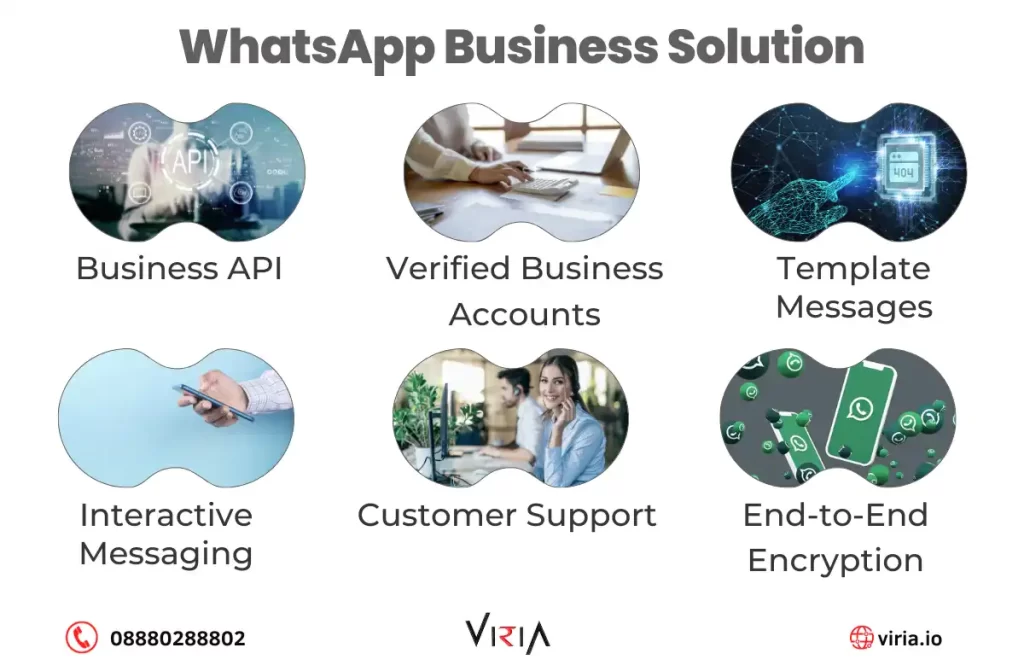
Automated Messaging and Templates
Pre-approved message templates and automated replies mean customers get answered instantly — even at 2 a.m. — without a human sitting on the other end.
Interactive Buttons and Personalization
Quick-reply buttons, call-to-action buttons, and list menus cut down the back-and-forth typing that makes chat support slow, while personalization pulls in past order history or preferences so replies don’t feel canned.
WhatsApp Business Integration with Your Existing Stack
This is where most of the value shows up. WhatsApp Business integration with your CRM, helpdesk, or e-commerce platform means a support agent can see a customer’s order history the moment a chat opens, and a sales rep can log a WhatsApp conversation straight into the pipeline — no copy-pasting between tabs.
WhatsApp Cloud Business: Why It Beats Self-Hosting
Meta’s cloud-hosted API removed the need for businesses to run and patch their own servers. That means:
- No infrastructure to maintain — Meta handles uptime and scaling.
- Faster rollout — most providers can get a new number verified and templates approved within days, not weeks.
- Synced conversations — every agent sees the same thread history, regardless of device.
Benefits of a WhatsApp Business Solution for Growing Companies
- Global reach at a lower cost-per-conversation than SMS in most markets.
- Faster resolution times — WhatsApp Business Integration with a ticketing system routinely cuts first-response time compared to email.
- Two-way marketing — beyond support, businesses run WhatsApp Business Advertising through Meta’s click-to-WhatsApp ad format, letting someone tap a Facebook or Instagram ad and land directly in a chat with your business, skipping the landing-page step entirely.
- End-to-end encryption, which matters when conversations include order details, appointment info, or payment confirmations.
WhatsApp Business App vs. WhatsApp Business API vs. a Full Solution
| WhatsApp Business App | WhatsApp Business API | WhatsApp Business Solution | |
| Best for | Solo owners, 1 phone | Mid-size, tech teams | Businesses of any size wanting a managed layer |
| Multiple agents | No | Yes, with custom build | Yes, built-in |
| Cost | Free | Meta conversation fees only | Meta fees + provider platform fee |
| Setup effort | Minutes | Requires developer | Guided by provider |
| CRM/helpdesk integration | None | Manual, custom-coded | Pre-built connectors |
| Automation & chatbots | Basic | Build-your-own | Included |
If you’re comparing the raw API against a managed WhatsApp Business Solution, the deciding factor is usually whether you have engineering resources to spare — most growing businesses don’t, which is why the managed route wins by default.
Choosing the Best API Provider for WhatsApp Business
Not every provider is equal, and picking the best api provider for WhatsApp Business for your case comes down to a few concrete checks:
- Official Meta Business Solution Provider (BSP) status — confirms they’re a verified partner, not a reseller of a reseller.
- Template approval turnaround — ask how long approvals typically take; some providers batch-submit and it can stretch to weeks.
- Transparent per-conversation pricing — Meta’s own conversation-based fees should be itemized separately from the provider’s platform fee.
- Local support — a provider with an India-based support team (like Viria’s Chennai, Bengaluru, Coimbatore, and Puducherry offices) matters when you need a template fixed same-day.
- Existing CRM connectors — check they already integrate with the tools you run, rather than promising a custom build later.
Automating Outreach: Pairing WhatsApp with Voice
WhatsApp handles the conversation, but outbound calling still matters for time-sensitive follow-ups. Many businesses pair their WhatsApp Business Solution with the best auto dialer for small business they can find, so a missed WhatsApp message automatically triggers a callback queue instead of going cold. If your team already runs outbound calls, check out Viria’s Voice solutions to see how the two channels connect.
Industry Use Cases
- Healthcare: appointment reminders and lab-result notifications sent via secure, encrypted templates.
- Real Estate: instant property-inquiry replies with photos, pricing, and site-visit scheduling.
- Retail: order confirmations, shipping updates, and abandoned-cart nudges.
- Education: admission-status updates and fee-reminder automation for institutions handling thousands of student contacts.
Pricing and Cost Factors
- Meta conversation fees — charged per 24-hour conversation window, varying by country and category (marketing, utility, authentication, service).
- Provider platform fee — usually a flat monthly fee or a per-agent-seat fee on top of Meta’s charges.
- Setup/onboarding fee — some providers charge a one-time fee for number verification and template setup; others don’t.
- Contact Viria for a quote tailored to your expected conversation volume.
Security, Compliance, and Data Privacy
WhatsApp’s end-to-end encryption covers message content, but businesses are still responsible for how they store and process the data that flows through their CRM afterward. If you handle EU or India-based customer data, check your provider’s stance on GDPR and India’s DPDP Act before signing on — this is exactly the kind of detail a “Reviewed By” expert should be confirming, not a generic content writer.
Getting Started with Your WhatsApp Business Solution
- Pick a Meta-verified provider using the checklist above.
- Verify your business number and submit your Meta Business Manager details.
- Get message templates approved for the conversation types you’ll send most (order updates, appointment reminders, etc.).
- Connect your CRM or helpdesk so agents aren’t switching tabs.
- Launch a small pilot — one use case, one team — before rolling it out company-wide.
Conclusion
A WhatsApp Business Solution isn’t a single feature — it’s the combination of the API, a managed provider layer, and the integrations that make it actually usable day-to-day. Whether you’re weighing the free app against a full API build, or comparing providers on template turnaround and support quality, the right choice comes down to how much of the setup and maintenance you want to own yourself.
Talk to Viria about setting up your WhatsApp Business Solution, or explore our WhatsApp product page for a closer look at what’s included.
Read also WhatsApp Marketing Tools in India.


